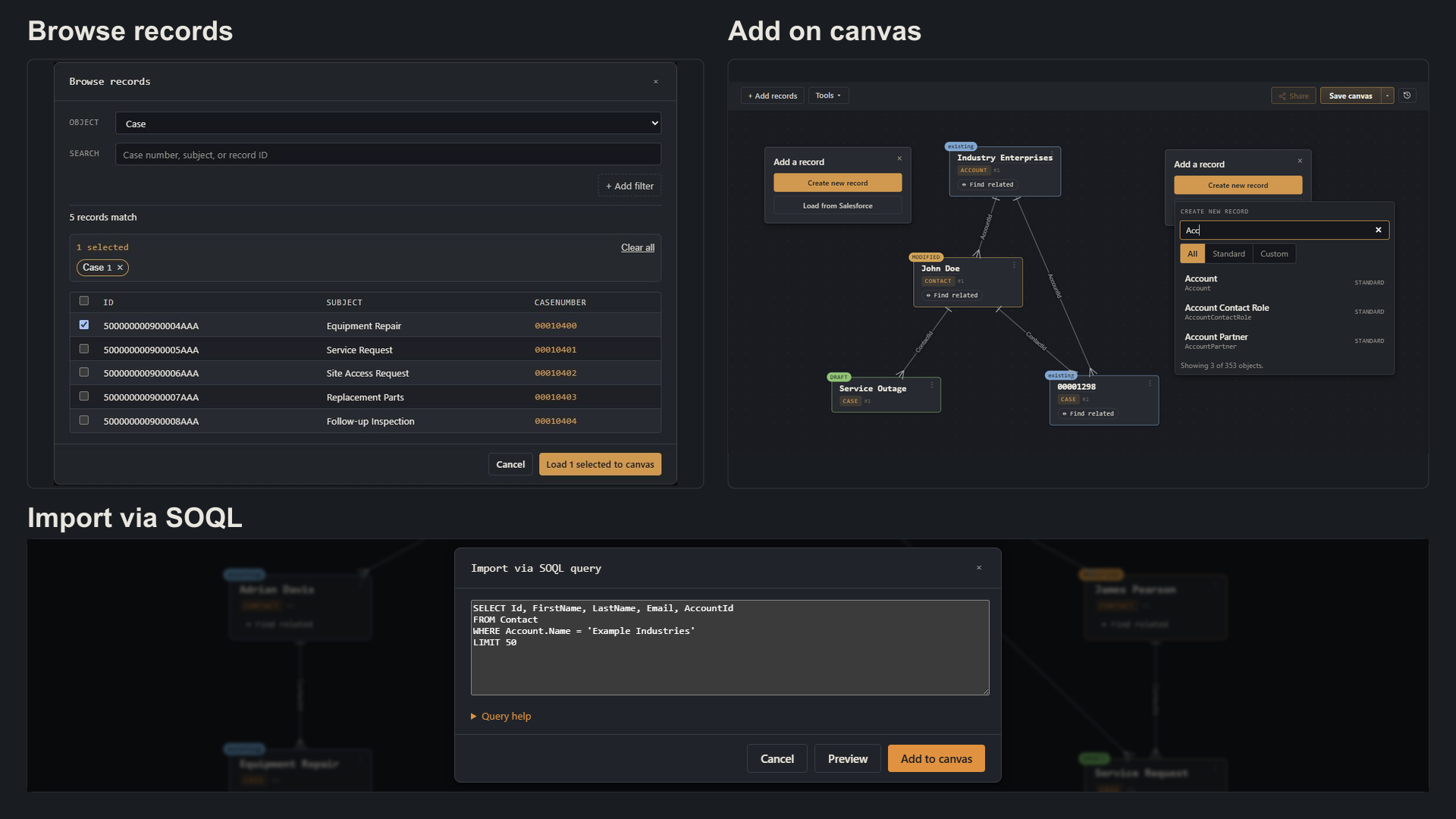
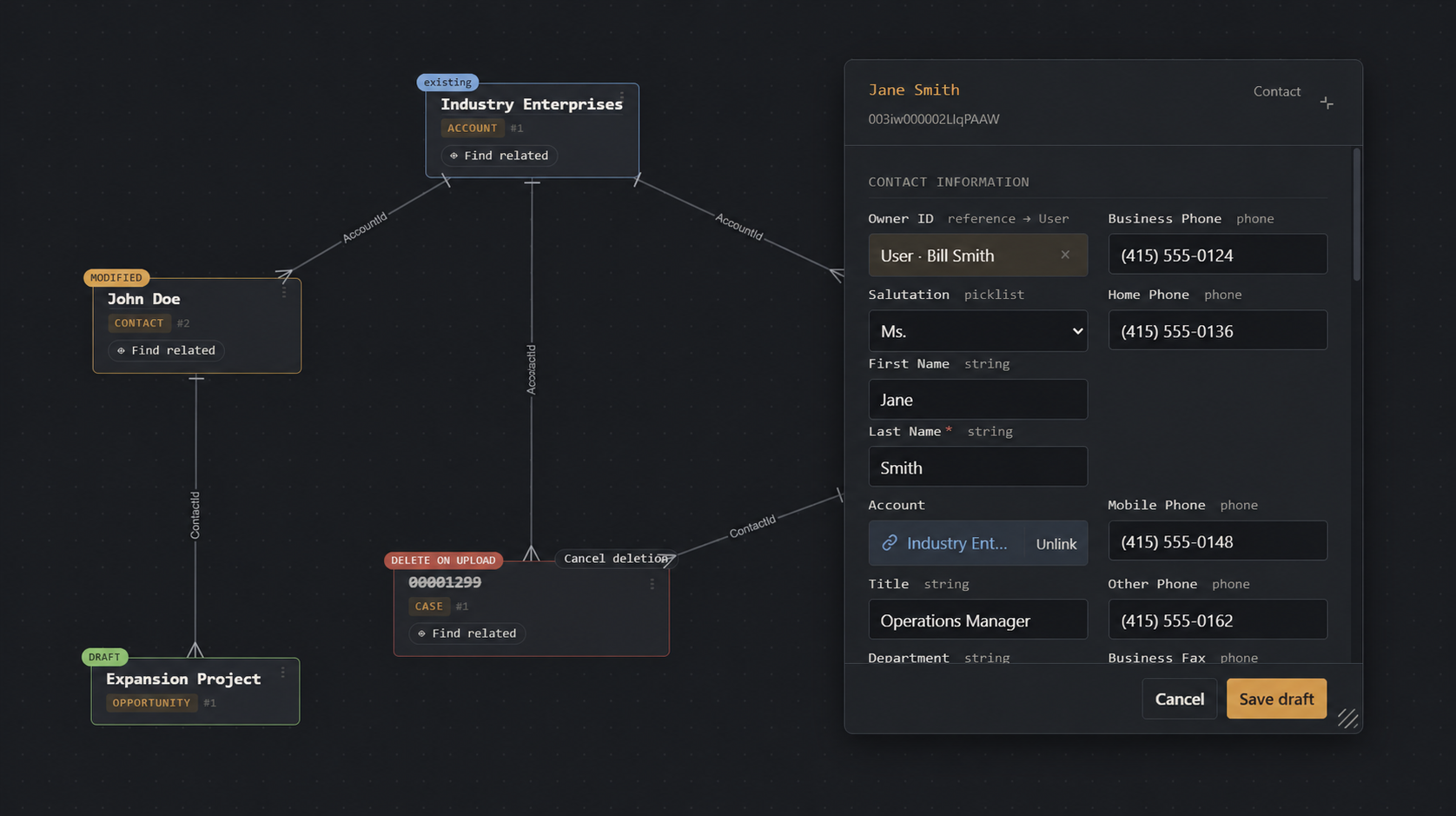
Create, edit, delete, and link across Accounts, Contacts, Opportunities or whatever you’re working on, on a single canvas. Stage your edits together, then push the whole batch when you’re ready.
Share a canvas, not a pile of record links
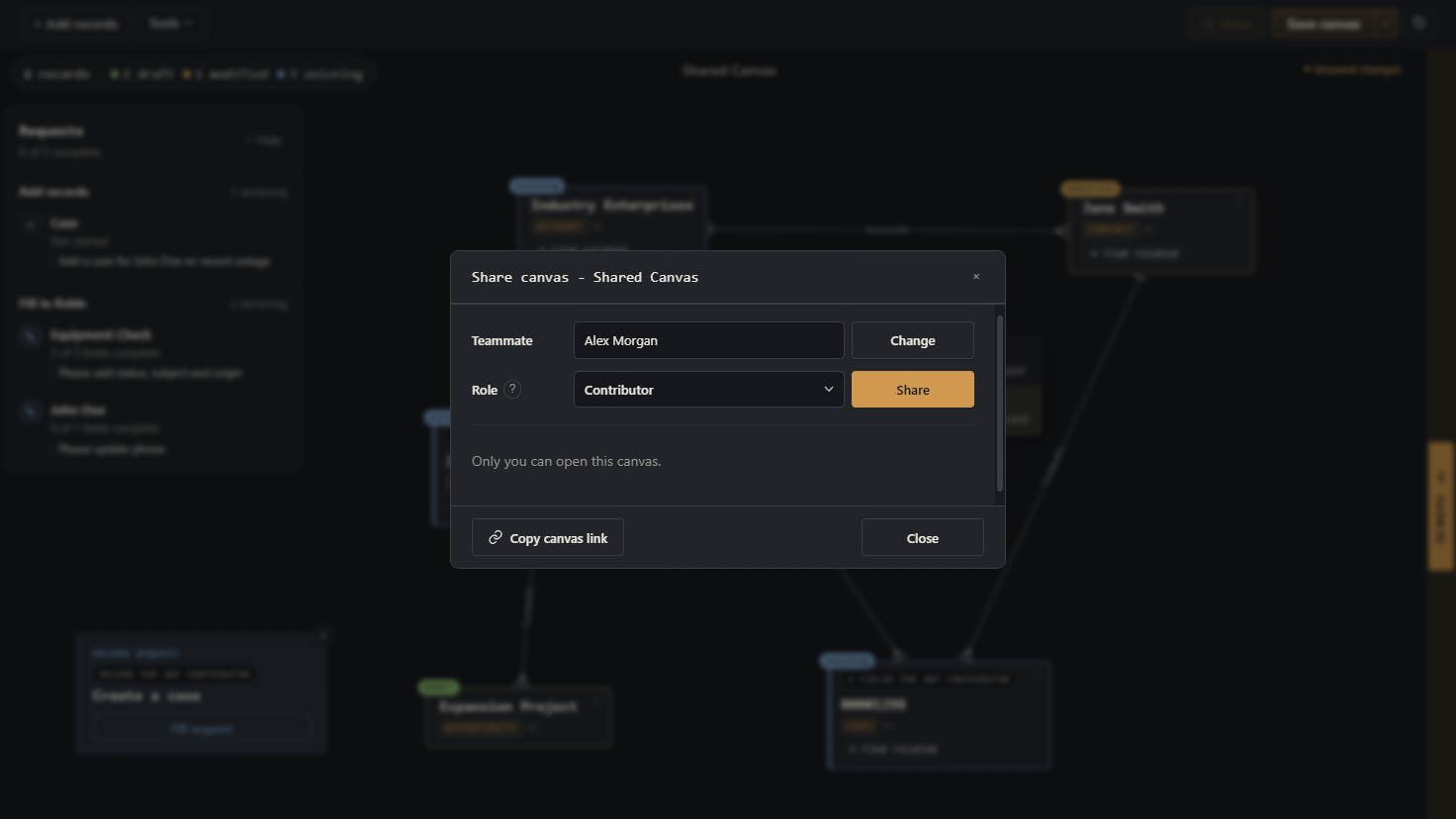
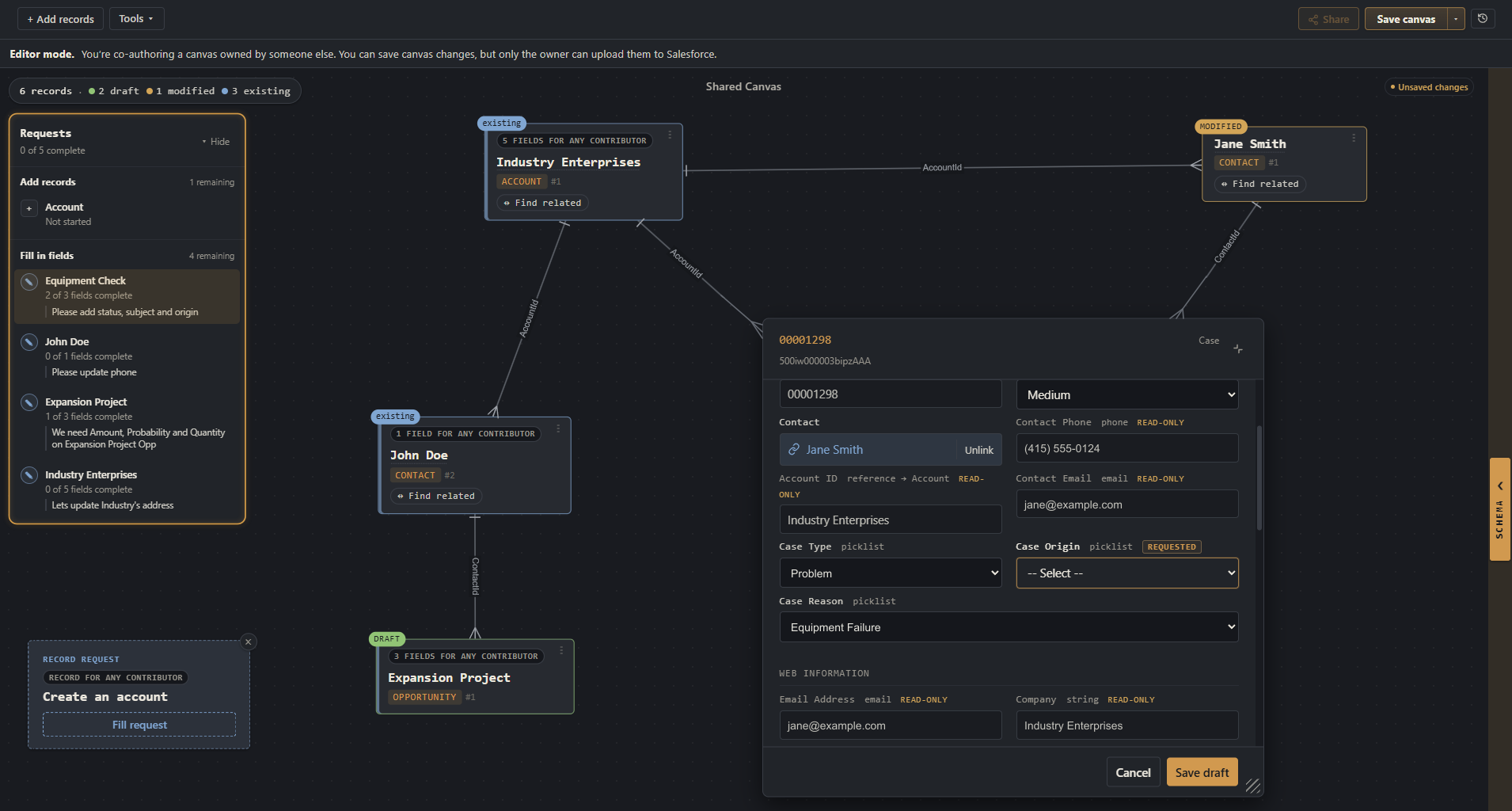
Open a teammate’s shared canvas and work on it together. You’ll see their changes as they happen, and they’ll see yours. No more screen-shares to walk through which records you mean.
Move data between orgs, no CSV dance
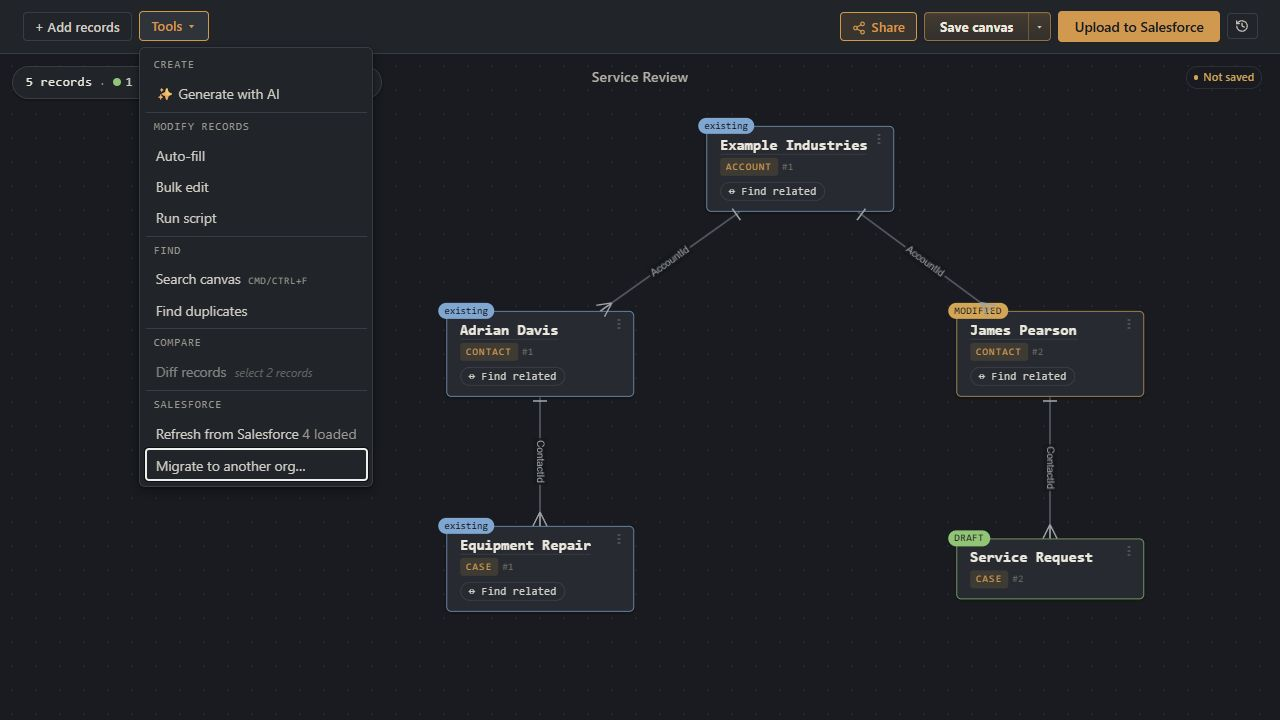
Pull records from one Salesforce org, edit them on the canvas, push them to another. No exports, no field-mapping spreadsheets, no leaving the screen.
Let AI draft changes, keep AI out of your org
Connect Claude, Cursor, or ChatGPT to your canvas via MCP. The AI reads what’s on the canvas and proposes inserts and updates, you approve. Salesforce data doesn't change until you upload.
See what you can do on a canvas.
Work with Salesforce records, visually.
Bring Salesforce records together on a canvas. Create, edit, or delete records and change their relationships without switching tabs.
Make changes individually or in bulk, then review everything together before uploading to Salesforce.
Browse records, add them directly on the canvas, or import them using SOQL, CSV, or JSON.
2. Create, update, link, or delete
Draft new records, edit existing ones, change relationships, and stage deletions on the same canvas.
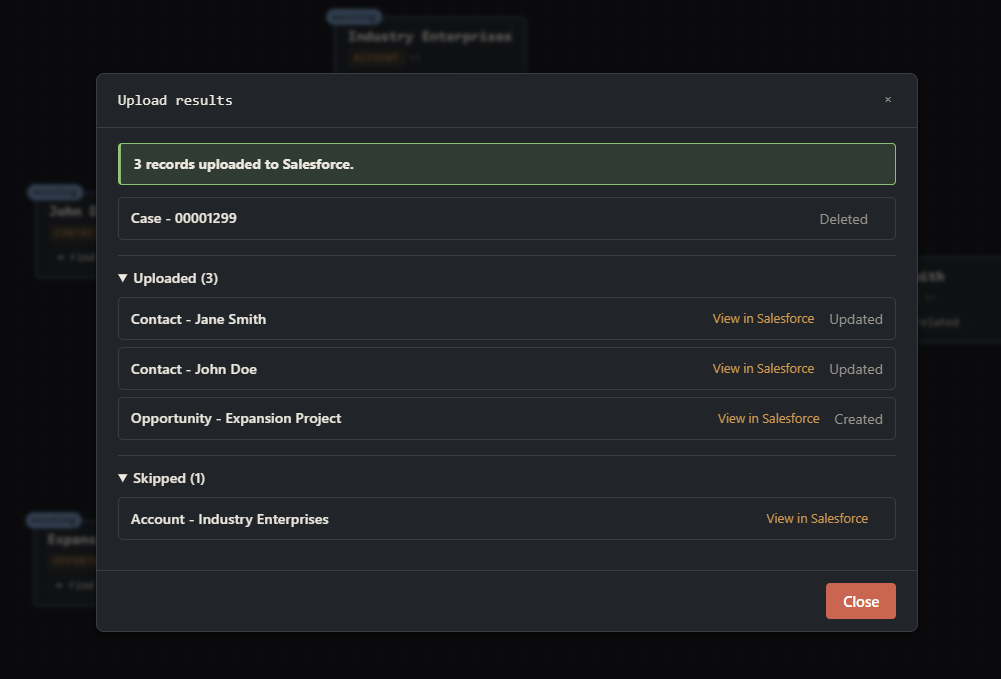
3. Upload and see the results
Upload when you are ready, then see a consolidated view of the results with links to Salesforce.
1 / 3
Work on Salesforce records, together.
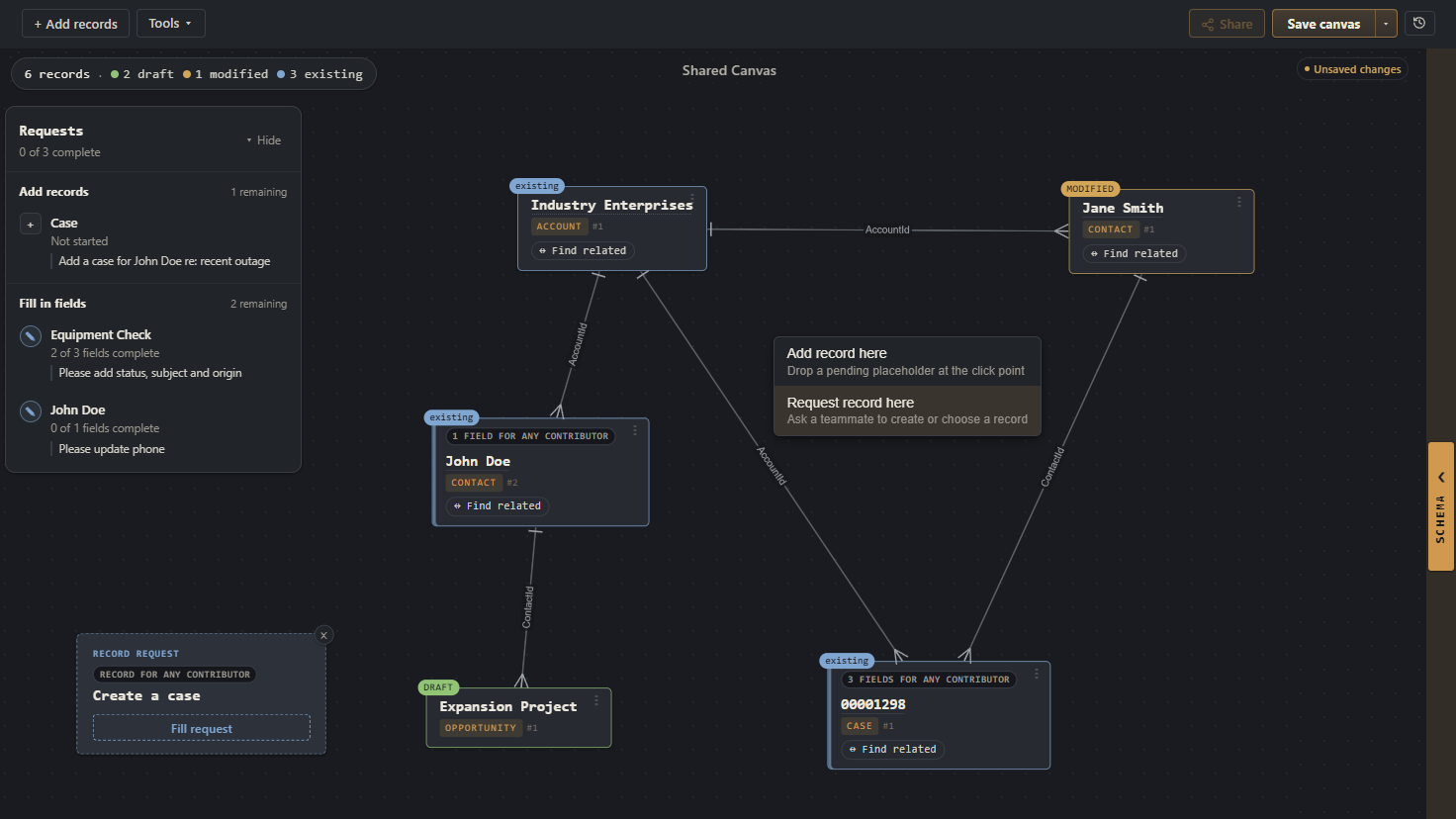
Create a canvas with records and requests for the information you need, then send it to teammates and choose what they can do with it. Their Salesforce permissions still apply, and they don’t need a paid Org Loom subscription to view the canvas or contribute.
Pull in relevant records and mark fields for teammates to fill out. You can also request new records and provide instructions for creating them.
2. Choose who to share with
Select a teammate and assign them a role. You can grant access to view, contribute (fill in only your requests) or edit.
3. Let teammates follow the guide
Your teammate opens the shared canvas and is guided through a task list of which records to create and which fields to fill in.
1 / 3
Migrate records between Salesforce orgs.
Moving records between Salesforce orgs isn’t always a direct copy. Fields and picklist values can differ, and updating existing records means finding the right match in the destination org.
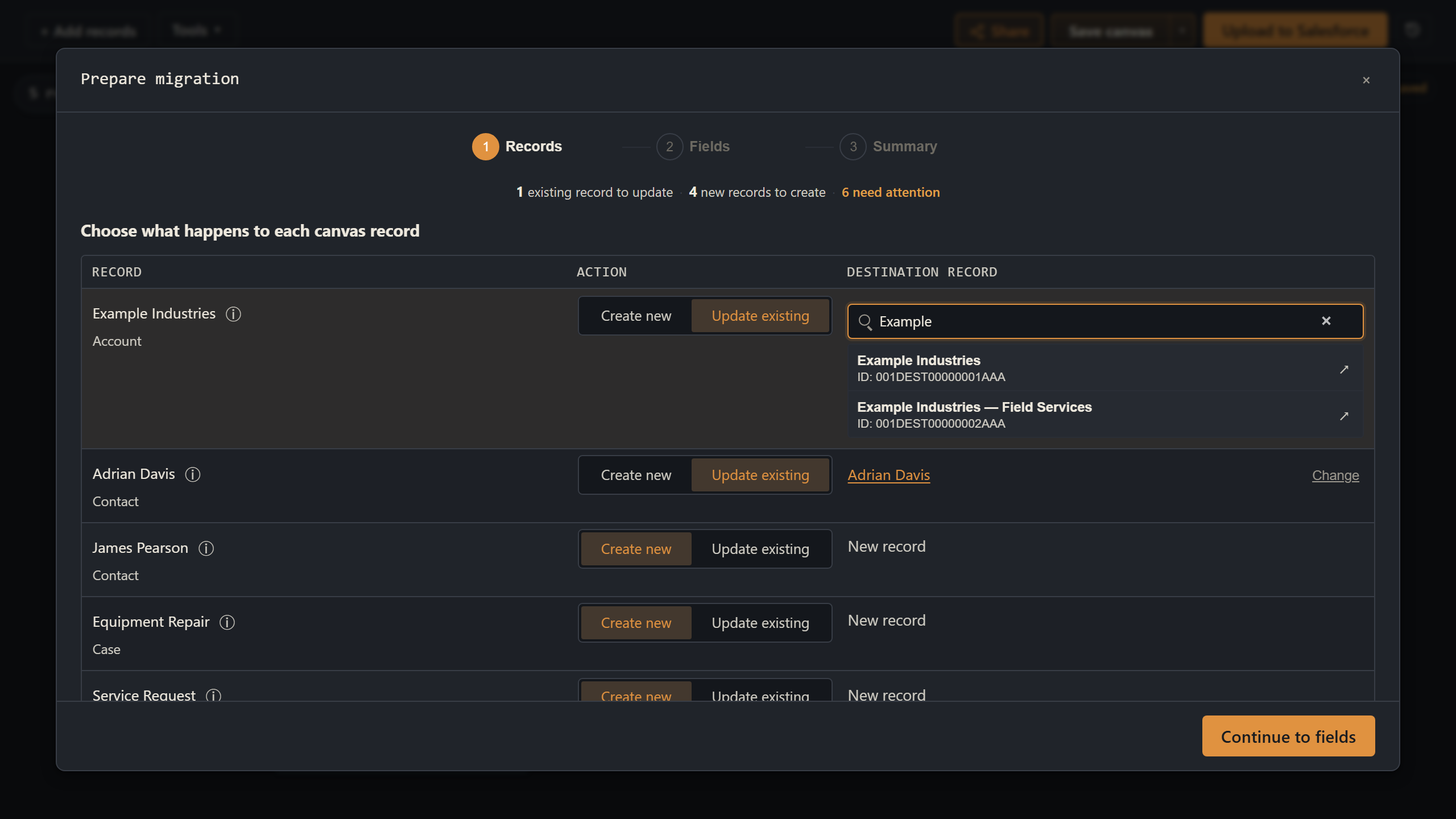
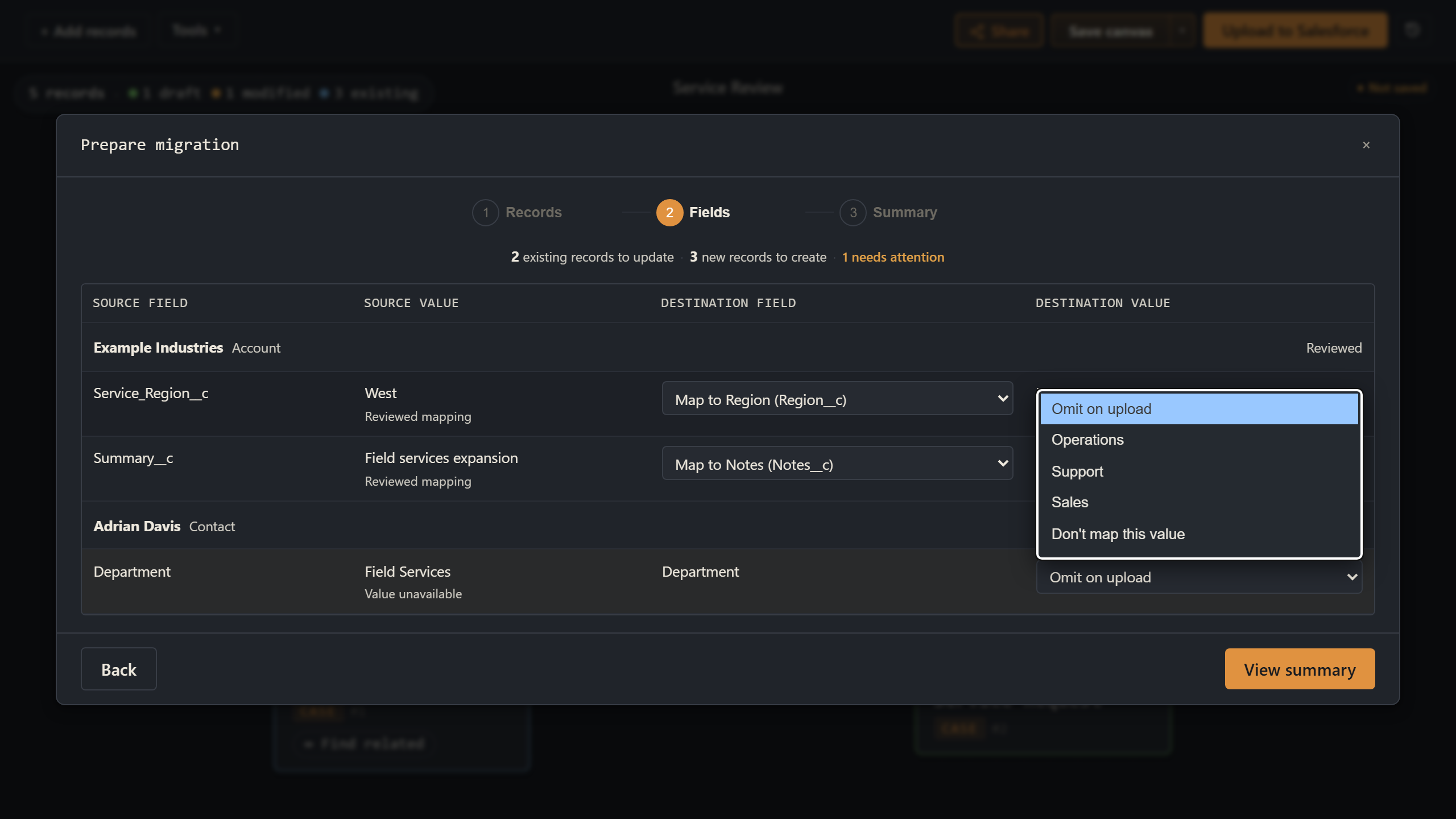
Org Loom guides you through these differences. Choose which records to create or update, match existing records, and map fields and values for the destination. Review the changes on your canvas before uploading to Salesforce.
Include existing records, new drafts, and any changes you want to carry into the destination org.
2. Reconcile destination records
Choose which records to create and which to update, matching each update to an existing record in the destination org.
3. Resolve field differences
Map fields and values, then review and apply the plan to your canvas. Return to the canvas to continue editing or upload to Salesforce right away.
1 / 3
How it stacks up.
Data Loader
dataloader.io
Workbench
Inspector Reloaded
Org Loom
Bulk CSV load (millions of rows)
✓
✓
✓
—
—
OAuth login, no password storage
✓
✓
✓
✓
✓
Source-available
✓
—
✓
✓
✓
Works with production orgs
✓
✓
✓
✓
✓
Your data doesn’t sit on our servers
✓
—
✓
✓
✓
Edit records inline
—
—
✓
✓
✓
Spatial record workspace
—
—
—
—
✓
Schema explorer
—
—
—
—
✓
Real-time data collaboration
—
—
—
—
✓
Import records via SOQL query
—
—
—
✓
✓
Diff records field-by-field
—
—
—
—
✓
Detect and remove duplicates
—
—
—
—
✓
Search field-level data
—
—
—
—
✓
Recall previous uploads
—
—
—
—
✓
Migrate data on a single screen
—
—
—
—
✓
AI assisted data manipulation
—
—
—
—
✓
Built for security-conscious teams.
Your canvas stays in Salesforce
Saved canvases are encrypted and stored as files in your Salesforce org. Org Loom does not store Salesforce record values or canvas contents at rest on its servers.
Refresh tokens are never saved
Refresh tokens are held only in temporary server memory and discarded when you sign out, disconnect, or the server restarts. They are never written to Org Loom's database.
Org Loom is a visual workspace for your Salesforce records. Bring existing records and new drafts onto one canvas, see how they relate, and prepare changes together without switching between record pages and spreadsheets. When you are ready, upload your changes to Salesforce.
Can I try Org Loom before installing anything?
Yes. The interactive playground lets you explore the canvas with sample Salesforce data without creating an account or connecting an org. When you are ready to use your own data, sign up and connect a sandbox or production org.
You can also run the source-available canvas core yourself without using orgloom.com. The PolyForm Internal Use License 1.0.0 permits internal business use, subject to its terms. This option requires your own setup and does not include the hosted account, workspace, billing, or administration features.
Does the open beta cost anything?
No. The open beta is free, and no credit card is required to join. You will only be charged if you choose to subscribe to a paid plan. Participating in the beta will not automatically enroll you in a paid subscription.
How does Org Loom keep my data secure?
Your browser handles the interactive work of viewing, organizing, and editing records. Org Loom works within your Salesforce permissions and does not store Salesforce record values in its application database. Our server processes data temporarily to communicate with Salesforce and support collaboration. You can inspect the visual workspace code in our public source repository and read Security and data handling for details about encryption, access, and temporary storage.
Do I need a Salesforce administrator to get started?
Yes. An administrator must install the Org Loom managed package in each Salesforce org you want to connect and assign its permission set to users. Org Loom walks you through this one-time setup, which takes approximately five minutes. See Connecting a Salesforce org for the setup steps.
Where can I find answers to technical questions?
Visit our documentation for setup guides, step-by-step walkthroughs, troubleshooting, and details about security and data handling.
Try it on your real org.
Join the open beta in about 30 seconds. No credit card and no charge while the product is in beta.